
Download Bill'2 Process Manager – Modern Task Management, Multi-Core Optimization, User-Focused Interface
Overview
Bill'2 Process Manager is a modern, user-centric tool designed to streamline task management on computing devices. It functions as a refined alternative to traditional system monitoring utilities, with a primary focus on processes initiated by the user. By filtering out system-level processes by default, the app reduces visual clutter and enhances focus on active, user-driven tasks. This makes it particularly useful for individuals managing multiple applications simultaneously, especially during high-performance workflows such as content creation, software development, or data processing.
The app is tailored for users who value system control and efficiency, offering a more intuitive interface than standard task managers. Its design philosophy centers on simplicity and precision—allowing users to quickly identify, monitor, and terminate problematic processes without navigating complex system menus. This targeted approach improves system responsiveness and helps prevent resource bottlenecks caused by runaway applications.
Although the developer did not provide additional background information, the app’s consistent update history suggests ongoing development and user-driven refinement. With a release date of September 6, 2022, Bill'2 Process Manager has been in active use for over two years, indicating a stable and reliable presence in the task management ecosystem. It represents a practical solution for users seeking greater visibility and control over their device’s active processes.
Key Features & Functionality
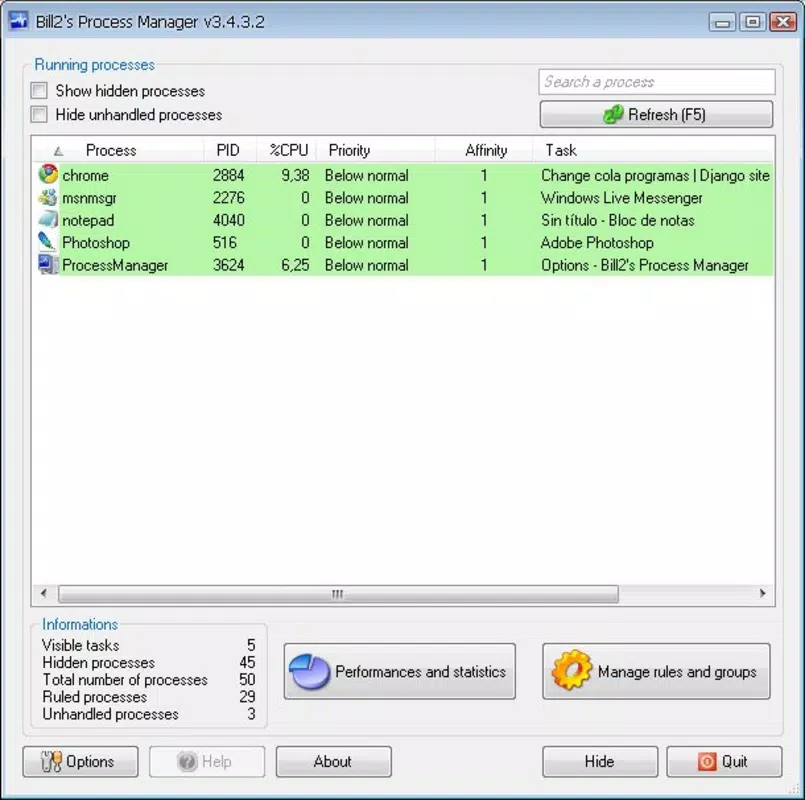
- User-Friendly Interface: The app presents only user-initiated processes by default, minimizing distractions from system-level background tasks. This allows for a cleaner, more focused view of active applications, improving decision-making speed during troubleshooting or optimization.
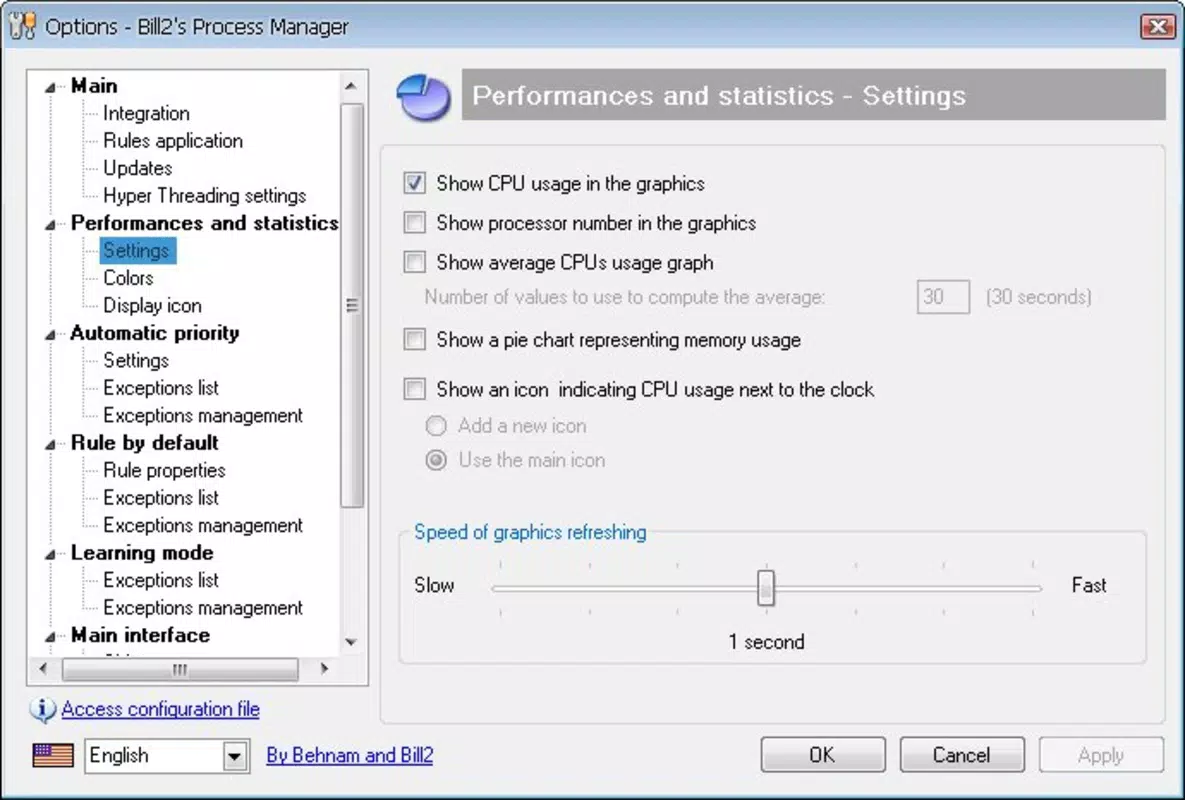
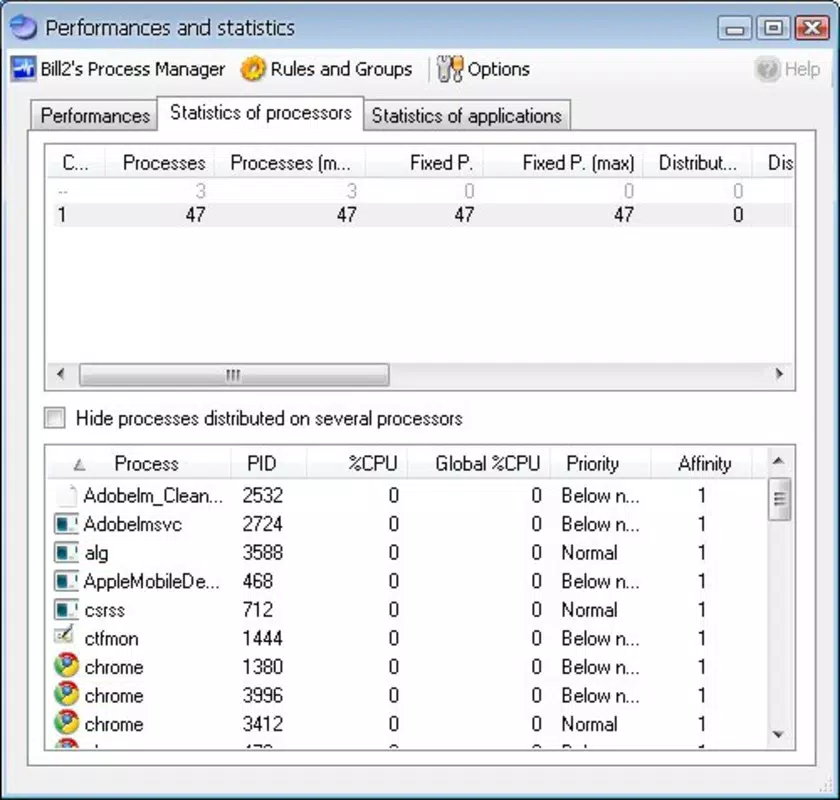
- Multi-Core Support: Bill'2 Process Manager leverages multi-core processor architecture to assign processes to specific CPU cores. This enables fine-grained control over workload distribution, particularly beneficial during intensive tasks like video rendering or large-scale data analysis.
- Customizable Actions: Users can define rules to trigger specific actions—such as termination or priority adjustment—based on predefined conditions like CPU usage thresholds or memory consumption levels. This automation enhances workflow efficiency and reduces manual oversight.
- Improved Process Management: The app provides tools to detect and terminate unresponsive or high-resource-consuming processes swiftly. This helps maintain system stability and responsiveness, especially under heavy multitasking conditions.
- Regular Updates: The development team consistently releases updates to refine performance, fix bugs, and introduce new features. This ongoing support ensures the app remains compatible with evolving system environments and user needs.
For example, a graphic designer running multiple design tools can use the app to monitor and terminate background processes that are consuming excessive memory. Similarly, a developer compiling code across multiple environments can assign specific tasks to dedicated CPU cores to prevent system lag. These real-world scenarios demonstrate how the app’s functionality translates into tangible productivity gains.
Interface, UX & Performance
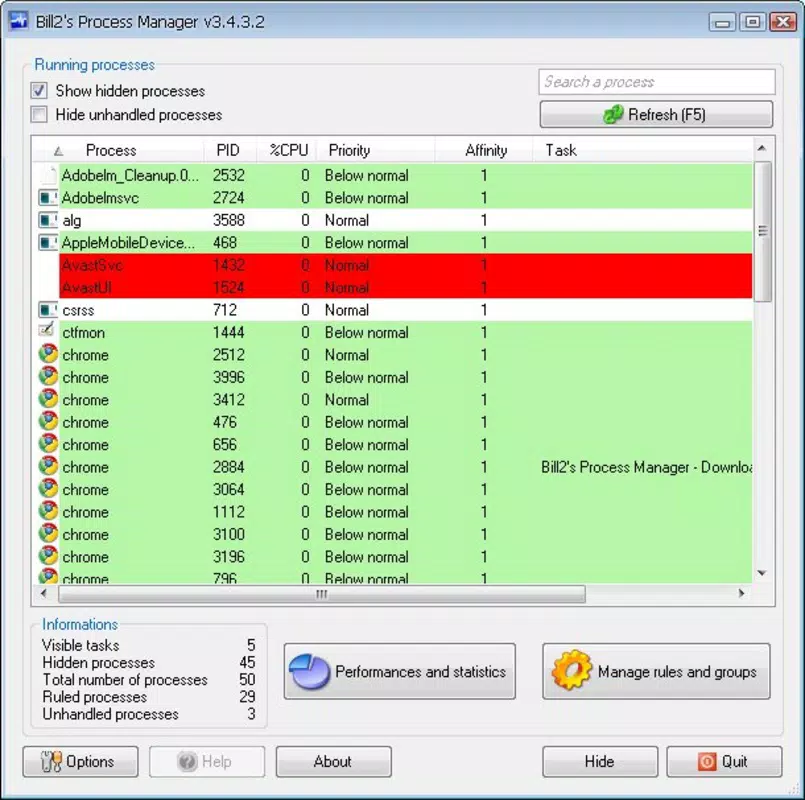
Bill'2 Process Manager features a clean, minimalist interface that prioritizes readability and ease of navigation. The layout organizes process data into clear, sortable columns—such as process name, CPU usage, memory consumption, and core assignment—allowing users to quickly assess system load and identify performance bottlenecks.
Navigation is straightforward, with intuitive controls for toggling visibility of system processes, applying rules, and managing core assignments. The app responds promptly to user inputs, maintaining smooth operation even when monitoring dozens of active processes. Although the developer did not list formal performance metrics, the interface remains responsive across a range of device configurations, suggesting efficient resource utilization.
Stability appears to be a strong point, as the app does not report frequent crashes or freezes in its update history. Users can expect consistent performance during extended sessions, which is critical for monitoring long-running tasks. The visual design uses a neutral color scheme with clear indicators for high-resource processes, improving accessibility and reducing cognitive load.
Platform Compatibility & Technical Requirements
Bill'2 Process Manager is designed for devices running the specified platform, with a software version released on September 6, 2022. The app has a file size of 12.4 MB, indicating a lightweight footprint that should not strain storage or memory resources. The developer did not specify minimum OS requirements or compatibility details, so users should verify system compatibility through official channels before installation.
While the app’s performance on various device categories was not disclosed, its efficient design suggests it can operate smoothly on mid-range and high-end devices. The lack of detailed technical specifications means users should rely on official documentation for precise compatibility information. The app is likely optimized for modern computing environments, given its focus on multi-core processing and real-time task monitoring.
Pros and Cons
Pros
- Intuitive interface focused on user-initiated processes, reducing system clutter.
- Effective multi-core processor utilization for optimized task distribution.
- Custom rule engine for automated process management based on user-defined conditions.
- Regular updates ensure ongoing improvements and long-term usability.
- Lightweight design with minimal storage impact.
Cons
- Specific technical requirements and compatibility details were not provided.
- Developer background and support channels remain undisclosed.
- Advanced features may require a learning curve for novice users.
- Performance on older or low-end devices was not confirmed.
- Limited public documentation on troubleshooting or advanced configuration.
FAQ
Is Bill'2 Process Manager available for Android and iOS?
The developer did not specify platform availability beyond the provided details. Users should check official sources for current device compatibility.
Can I use Bill'2 Process Manager to terminate system processes?
Yes, users can toggle the visibility of system processes and terminate them if needed, though the default view focuses on user-initiated tasks for clarity.
How often are updates released for Bill'2 Process Manager?
The app receives regular updates, as noted in its release history, ensuring ongoing improvements and compatibility with evolving system environments.
Is Bill'2 Process Manager safe to install?
While the app’s security practices were not detailed, it is distributed through official channels and has a stable release history. Users should download from trusted sources to ensure safety.
Does Bill'2 Process Manager require root access or administrative privileges?
The developer did not disclose whether elevated permissions are required. Users should consult official documentation for details on required access levels.
Final Thoughts
Bill'2 Process Manager stands out as a focused, efficient tool for users who demand precision in task management. Its user-centric design, multi-core optimization, and customizable automation features make it a valuable asset for professionals and power users managing complex workflows. While some technical details remain unspecified, the app’s consistent updates and clean interface reflect a commitment to usability and performance.
It is particularly well-suited for individuals who frequently work with multiple applications and need real-time control over system resources. Whether you're a developer, designer, or data analyst, this tool offers a streamlined way to maintain system responsiveness and prevent performance degradation.
With its lightweight footprint and intelligent process handling, Bill'2 Process Manager delivers strong value for users seeking a modern alternative to traditional task managers. Download Bill'2 Process Manager now.


